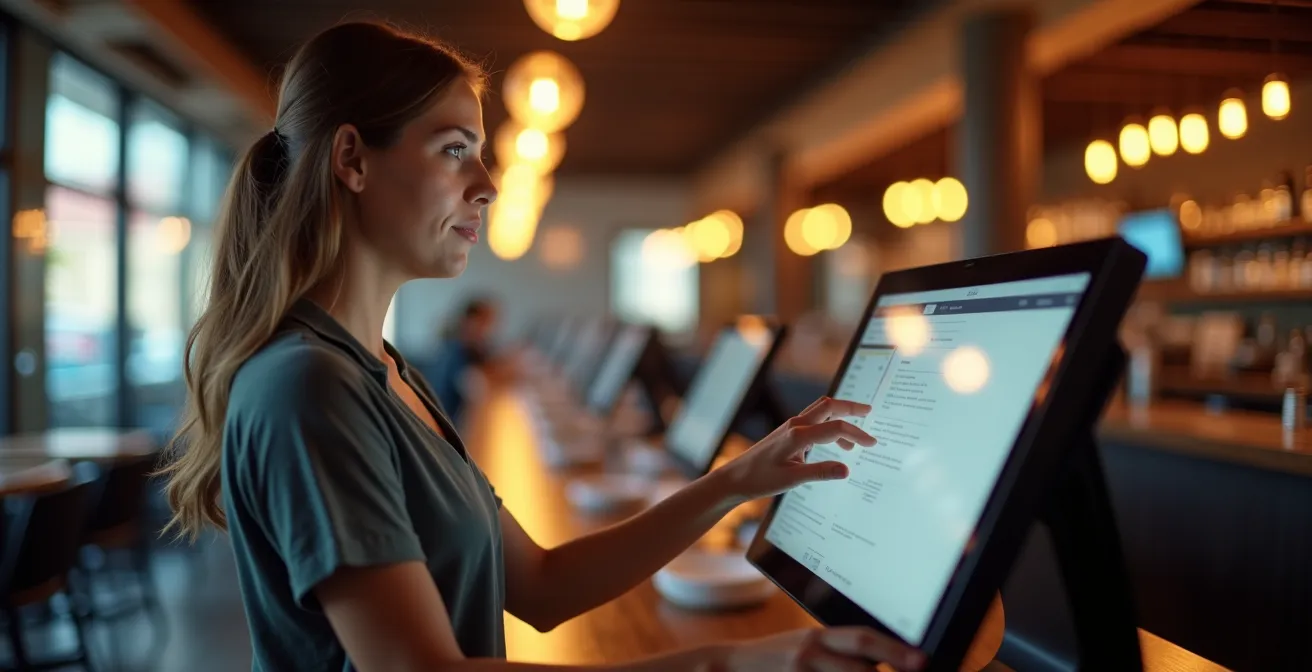
Your Point-of-Sale system is your most underutilized asset for driving profit.
- Configure smart, non-intrusive prompts to guide staff through effortless upselling and cross-selling.
- Customize screen layouts based on workflow logic to eliminate costly errors and maximize transaction speed during peak hours.
Recommendation: Stop treating your POS as a passive tool and start weaponizing its features to actively manage sales, inventory, and customer loyalty.
You’ve invested thousands in a state-of-the-art POS system. It has all the bells and whistles the sales rep promised. Yet, your revenue is flat, order accuracy is a constant struggle, and your staff treats the terminal like a dumb cash register from 1995. You have a powerful tool collecting dust, and you know there’s untapped potential locked inside. The common advice is to “train your staff” or “look at the reports,” but this guidance is vague and fails to address the core issue: your system is not configured to actively support your business goals.
The paradigm shift required is to stop seeing the POS as a passive order-taker and start treating it as a strategic weapon. The real key isn’t just *using* the POS, but *weaponizing* it through smart configuration and behavioral training. It’s about transforming it into an active co-pilot for every employee, designed to guide them toward more profitable actions with every single transaction. This requires a technical, maximizing approach that aligns the user interface with your operational and financial objectives, turning every click into a potential revenue-generating event.
This guide provides that technical framework. We will move beyond generic advice and dive into the specific configurations and protocols that turn your POS into a profit center. From building suggestive selling prompts that staff actually use to connecting your sales data directly to your inventory logistics, you will learn how to unlock the hidden power you already own. It’s time to make your technology work for you, not the other way around.
This article provides a complete roadmap for transforming your point-of-sale system from a simple transaction tool into a dynamic engine for growth. Below is a summary of the key strategies we’ll explore to maximize your investment.
Summary: From Passive Register to Active Revenue Weapon
- The Suggestive Sell: How to Configure POS Prompts That Staff Actually Read?
- Fat Finger Syndrome: Customizing POS Layouts to Reduce Order Mistakes
- The 3-Click Rule: Optimizing Menu Nests for Peak Hour Speed
- Data Capture at Checkout: Training Staff to Ask for Phone Numbers Naturally
- When the System Freezes: Emergency Offline Protocols Every Cashier Must Know
- The “One-Click” Order: Connecting Your POS Directly to Your Broadliner’s System
- Menu Engineering: How to Use Inventory Data to Identify Low-Margin Best Sellers?
- Reducing Food Waste by 20% Using Automated Inventory Logistics Systems
The Suggestive Sell: How to Configure POS Prompts That Staff Actually Read?
The idea of upselling is not new, but relying on staff memory during a chaotic rush is a recipe for failure. The POS must become the prompter, the digital mentor guiding every employee. The goal is to move from passive hope to active, system-driven suggestion. However, most default prompts are ignored because they are intrusive, generic, or appear at the wrong time. Effective configuration is about subtlety and context. Instead of a generic “Would you like a drink?” pop-up for every order, the system should be smarter.
Weaponizing the suggestive sell means configuring prompts that are behaviorally sound. For example, when a staff member adds a burger to the cart, the POS shouldn’t just show a list of all sides. It should visually highlight “Bacon” or “Avocado” as one-click additions. When an appetizer is ordered, it should suggest a specific, high-margin wine pairing. The key is to make the prompt a helpful shortcut, not an annoying roadblock. This requires analyzing your sales data to identify the most successful and profitable pairings and building them directly into the workflow. The financial upside is significant; well-designed automated prompts for add-ons can boost revenue by 5%-30% per ticket.
The most advanced systems, like Toast IQ, use AI to offer these suggestions in real-time based on the specific item, guest history, and strategic goals. The prompt becomes part of the natural conversation, empowering even new hires to upsell like seasoned veterans. This isn’t about just asking for more; it’s about using technology to make smarter, more profitable suggestions at the perfect moment. The system does the heavy lifting, ensuring consistency and maximizing every single order.
Fat Finger Syndrome: Customizing POS Layouts to Reduce Order Mistakes
Every wrong button press is a direct hit to your bottom line. “Fat Finger Syndrome”—the accidental selection of incorrect items, modifiers, or quantities—is more than a minor annoyance. It leads to wasted food, frustrated staff, confused kitchen staff, and comped meals that erode your margins. In fact, studies show that the food service industry loses an average of 1.6% of annual revenue due to transaction errors alone. For a million-dollar franchise, that’s $16,000 lost to preventable mistakes. The solution lies not in telling staff to “be more careful,” but in designing a POS interface that makes mistakes harder to commit.
A default, one-size-fits-all POS layout is a primary cause of these errors. Your system’s screen must be a direct reflection of your menu’s logic and your staff’s workflow. This means strategically customizing button size, color, and placement. Applying principles of UI/UX design is critical. For instance, your most frequently ordered items and functions, like “Pay” or “Chicken Sandwich,” should be larger and placed in prime screen real estate—typically the center or corners, which are easiest to target.
This concept is best visualized through a thoughtful, color-coded system that guides the user’s eye and reduces cognitive load.
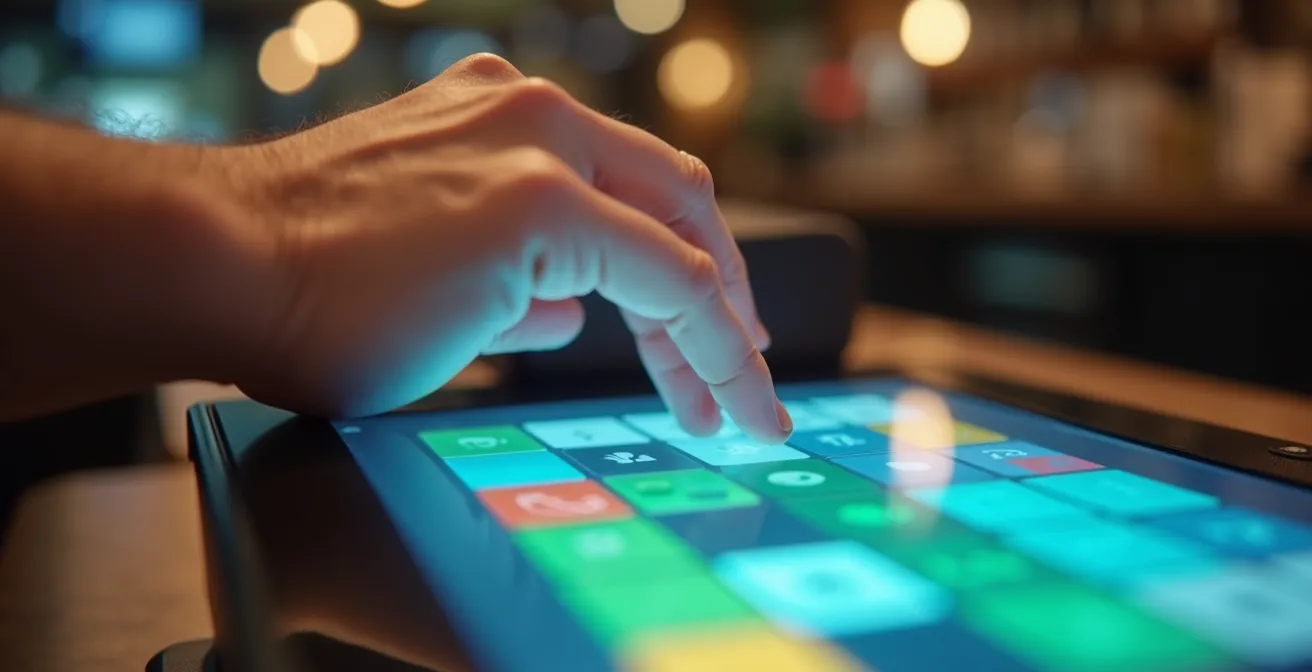
As you can see, organizing categories into distinct color zones—appetizers in blue, entrees in green, drinks in yellow—creates an intuitive visual map. Staff don’t have to read every button; they can navigate by color, drastically reducing search time and the likelihood of errors. The goal is to create a frictionless ordering process where the right choice is always the easiest choice. This level of customization transforms the POS from a liability into a tool for operational excellence and error reduction.
The 3-Click Rule: Optimizing Menu Nests for Peak Hour Speed
During your busiest hours, every second counts. The time it takes for a cashier to navigate your POS menu directly impacts table turnover, queue length, and ultimately, revenue. A poorly organized menu, with items buried in confusing sub-categories, creates a bottleneck that slows down your entire operation. This is where the “3-Click Rule” becomes a non-negotiable performance metric: any item or modifier on your menu should be accessible within a maximum of three taps on the screen.
Achieving this level of efficiency requires a ruthless audit of your menu hierarchy. Many restaurants simply upload their paper menu structure to the POS, resulting in deep, illogical “nests” of options. Instead, the POS menu must be engineered for speed. This involves flattening the structure, creating shortcuts for popular combinations, and organizing categories based on ordering frequency, not just food type. For example, instead of `Drinks > Soda > Coke`, consider a “Top Drinks” category on the main screen. If every burger can have cheese and bacon, create a single modifier screen that appears automatically, rather than making staff navigate to two separate sub-menus.
This optimization isn’t just about speed; it’s about reducing staff stress and improving order accuracy under pressure. A streamlined interface empowers employees to handle rushes with confidence. The following checklist provides a concrete plan for auditing and optimizing your POS for 3-click efficiency.
Action Plan: Achieving 3-Click Efficiency
- Time Key Tasks: Use a stopwatch to time employees on critical tasks like entering a complex order and processing payment to identify current bottlenecks.
- Map the Workflow: Configure the POS screen layout to mirror the restaurant’s actual workflow, not an abstract menu structure.
- Organize by Frequency: Group menu items logically based on real sales data, placing your top 20% of sellers in the most accessible locations.
- Consolidate Modifiers: Create single, comprehensive modifier screens for items with multiple common customizations to eliminate extra taps.
- Implement ‘Quick Pick’ Buttons: Program single buttons for complex but popular orders (e.g., “The Usual” for a regular’s specific multi-item order) to reduce entry time to a single click.
Data Capture at Checkout: Training Staff to Ask for Phone Numbers Naturally
In today’s market, customer data is as valuable as cash. A phone number or email address is the key to unlocking loyalty programs, targeted marketing, and understanding customer behavior. Yet, many businesses fail at this crucial step because the request feels awkward, intrusive, or time-consuming for both the staff and the customer. The default “Can I get your phone number?” is often met with suspicion. The solution is to reframe the ask from a data grab into a value proposition for the customer.
The most effective way to do this is by tying the data capture directly to a loyalty program that offers immediate, tangible benefits. The script for your staff should never be about the business’s needs; it should be about the customer’s gain. Instead of asking for a number, train staff to ask, “Are you part of our rewards program yet? You can earn points on today’s order.” This transforms the interaction from an intrusion into an invitation. The phone number simply becomes the “account number” for their rewards. With research showing that nearly 70% of US consumers are loyal to brands that offer compelling programs, this approach taps into an existing consumer desire.
The key is making the program feel exciting and worthwhile. It must be more than just a “buy ten, get one free” punch card. Gamification is a powerful tool for driving engagement. As one successful operator at The 1894 Lodge discovered, the right incentives can create incredible enthusiasm:
Customers were so crazy to earn points that they were buying the entire bar a round so they could redeem the rewards. They love how the loyalty program offers a gamified restaurant experience
– Hostettler, The 1894 Lodge
This illustrates the power of a well-designed program. When customers are eager to provide their information to earn rewards, your staff’s job becomes effortless. The POS is the tool that facilitates this frictionless exchange, instantly linking a customer to their points balance and making the value of participation clear.
When the System Freezes: Emergency Offline Protocols Every Cashier Must Know
It’s the scenario every owner dreads: the internet is down, the POS is frozen, and a line of hungry customers is growing. Panic is the default reaction, but operational resilience is the professional response. Having a robust, well-rehearsed offline protocol is not just a backup plan; it’s a critical component of your business continuity strategy. The goal is to maintain a professional atmosphere and continue transacting with minimal disruption, preserving both revenue and customer confidence. Your staff must be trained to pivot to the offline system instantly and without hesitation.
This preparedness starts with a pre-assembled “Emergency Offline Kit” that is easily accessible to all cashiers. This kit should contain everything needed to operate manually for several hours. The presence of these tools sends a message of calm and control, reassuring both staff and customers that the situation is being managed professionally. Instead of chaos, you project competence. The key is that every staff member knows what is in the kit and exactly how to use it.
A well-organized station, ready for manual operations, is the hallmark of a prepared business. It ensures service continues smoothly, even when technology fails.
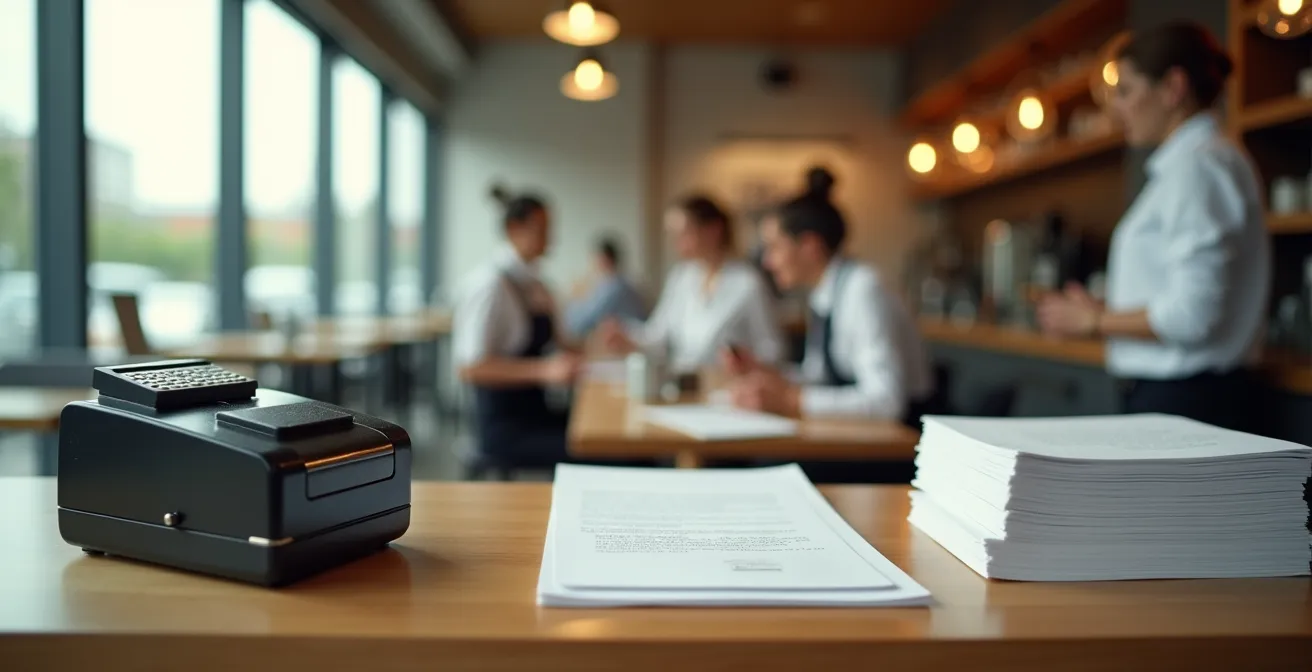
The contents of your kit are your lifeline during an outage. While modern POS systems often have an offline mode that syncs transactions later, you must be prepared for a total system failure. Your physical kit should include these non-negotiable essentials:
- A battery-powered calculator and a manual credit card imprinter (a “knuckle-buster”).
- A stack of pre-printed menus with final prices, including tax, to avoid calculation errors.
- Numbered carbon copy order slips and a log sheet to manually track all sales.
- Laminated, step-by-step quick-fix guides for common POS issues, stored near the terminals.
- A clearly posted list of the designated tech-savvy staff members who are the primary troubleshooters.
The “One-Click” Order: Connecting Your POS Directly to Your Broadliner’s System
The most significant hidden cost in any restaurant is often found in the back of the house: inefficient procurement and inventory management. The traditional process of manually checking stock, cross-referencing sales reports, and phoning in or typing up orders for your broadline supplier (like Sysco or US Foods) is slow, labor-intensive, and riddled with potential for human error. This is where a fully integrated POS system becomes a logistical weapon, transforming your ordering process from a reactive chore into a proactive, data-driven strategy.
The “One-Click” order is the holy grail of this integration. By connecting your POS directly to your supplier’s ordering system via an API (Application Programming Interface), you create a seamless flow of information. Your POS knows in real-time exactly how many ounces of ground beef or how many burger buns have been sold. It can then compare this sales velocity data against your current on-hand inventory levels and your pre-set par levels. Instead of a manager spending an hour with a clipboard, the system generates a suggested order automatically.
The manager’s role shifts from data entry to strategic oversight. They simply review the system-generated order, make any necessary adjustments for a planned promotion or a holiday weekend, and click “Submit.” This not only saves hours of administrative labor but also dramatically improves order accuracy, reducing the risk of both stockouts of popular items and over-ordering of slow-moving ingredients. This level of automation ensures you have exactly what you need, when you need it, maximizing cash flow and minimizing waste. The entire ecosystem of restaurant technology is built on this principle of seamless data exchange.
Menu Engineering: How to Use Inventory Data to Identify Low-Margin Best Sellers?
Not all best-sellers are created equal. An item that flies off the shelf but has a razor-thin profit margin can actually be a silent drain on your profitability. This is the classic “Plowhorse” problem in menu engineering: high popularity, but low profitability. Your POS data, when combined with your ingredient cost data from your inventory system, is the key to identifying these problematic items and transforming them into true profit drivers.
Menu engineering is a systematic method of evaluating your menu’s pricing, design, and content to maximize profitability. It categorizes every single menu item into one of four quadrants based on its popularity (sales volume) and its profit margin (selling price minus food cost). Your POS system automates this analysis, turning raw sales data into an actionable strategic matrix. This allows you to stop guessing and start making data-backed decisions about which items to promote, which to re-price, and which to remove entirely.
The goal is to move items into the “Star” category. Understanding where each item falls is the first step to optimizing your entire menu for maximum profitability. The following matrix, sourced from an analysis of POS-driven upselling strategies, breaks down these categories and the corresponding strategy for each.
| Category | Profit Margin | Popularity | Strategy |
|---|---|---|---|
| Stars | High | High | Promote heavily, maintain quality |
| Plowhorses | Low | High | Re-price, reduce portions, or re-engineer recipe |
| Puzzles | High | Low | Reposition on menu, promote more |
| Dogs | Low | Low | Consider removing or reworking completely |
When your POS identifies a “Plowhorse”—for example, your most popular chicken dish has a food cost of 50%—you have several strategic levers to pull. You could slightly increase its price, reduce the portion size of a costly side dish, or re-engineer the recipe with a more cost-effective ingredient. Without this data-driven analysis, you would continue to celebrate a best-seller that is actively hurting your bottom line.
Key Takeaways
- Weaponize your POS by configuring the user interface to actively guide staff toward profitable actions like upselling.
- Use your system’s sales and inventory data to perform ruthless menu engineering, identifying and fixing low-margin best-sellers.
- Integrate your POS directly with supplier logistics to automate ordering, minimize human error, and drastically reduce food waste.
Reducing Food Waste by 20% Using Automated Inventory Logistics Systems
Food waste is a silent killer of restaurant profit. Every item that expires on the shelf or is thrown out due to over-prepping is money straight out of your pocket. While some waste is inevitable, a significant portion is preventable through smarter, data-driven inventory management. An integrated POS system is the central nervous system for this effort, providing the real-time data needed to align your purchasing and production with actual customer demand, potentially reducing waste by 20% or more.
The core of this strategy is moving from guesswork to precision. A modern POS system that integrates with inventory management software provides an up-to-the-minute view of your stock levels. As real-time updates on stock levels become available, businesses can optimize turnover and avoid costly stockouts. The system tracks the sale of every menu item and automatically depletes the associated ingredients from your digital inventory. This gives you a precise understanding of your sales velocity for every single ingredient you stock.
This granular data empowers you to implement highly effective waste-reduction tactics. For example, you can configure your system to generate a daily “use first” report, flagging items that are nearing their expiration date so your kitchen staff can feature them in a special. You can also analyze historical sales data to create highly accurate daily production pars, ensuring you don’t over-prep for an expected rush that never materializes. Furthermore, by implementing custom buttons to track the reasons for waste (e.g., Spoilage, Kitchen Error, Customer Return), you can identify operational issues and address them at the source, turning your POS into a powerful tool for continuous improvement and margin protection.
Now that you have seen how each component of your POS can be tuned for performance, the final step is to unify these strategies into a cohesive, profit-maximizing system. Begin by auditing your current POS configuration against these principles and identify the single biggest opportunity for improvement. Start there, and build momentum. For a deeper dive into transforming your operations, it is crucial to never forget the foundational principles of a system-driven sales approach we discussed at the beginning.